Negative Float in Primavera P6: Causes and Fixes
A field guide to diagnosing and repairing negative float — from a planner who has audited more than 120 live construction schedules.

Negative float is the schedule equivalent of a warning light on your dashboard. The project can still drive, but something underneath is telling you the destination is no longer reachable the way you planned it. Across more than a hundred contractor schedules I have reviewed in infrastructure, buildings, and water projects, negative float is comfortably the most common red flag — and the most commonly misunderstood.
This guide explains what negative float actually is inside Primavera P6, the six root causes that account for nearly every case I see in practice, and the fixes that address the cause rather than hiding the symptom. Everything here comes from live projects: a motorway interchange, a wastewater treatment upgrade, and a mid-rise commercial build all make appearances. The screenshots of pain are real, even if the project names are not.
What negative float really means in P6
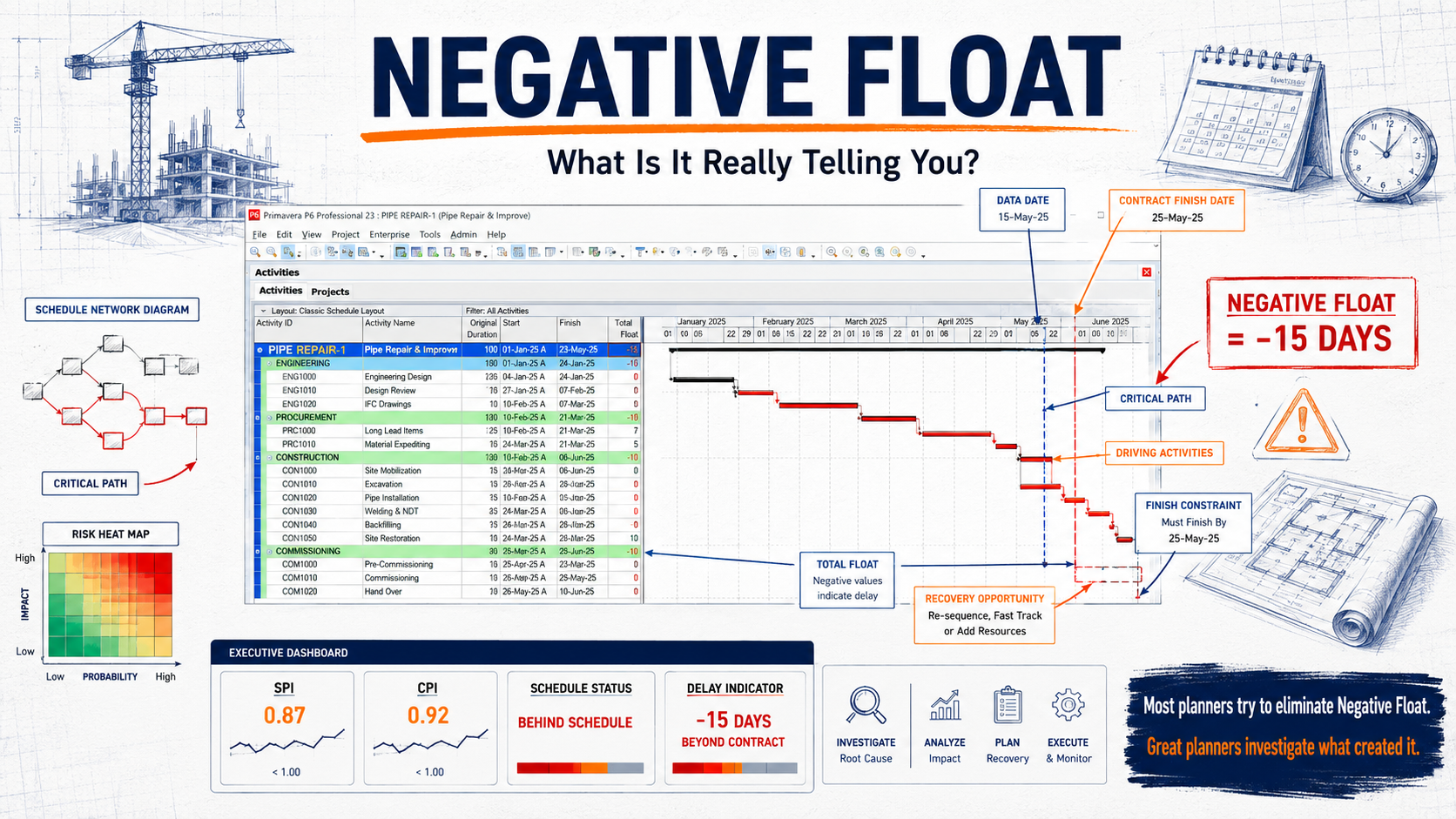
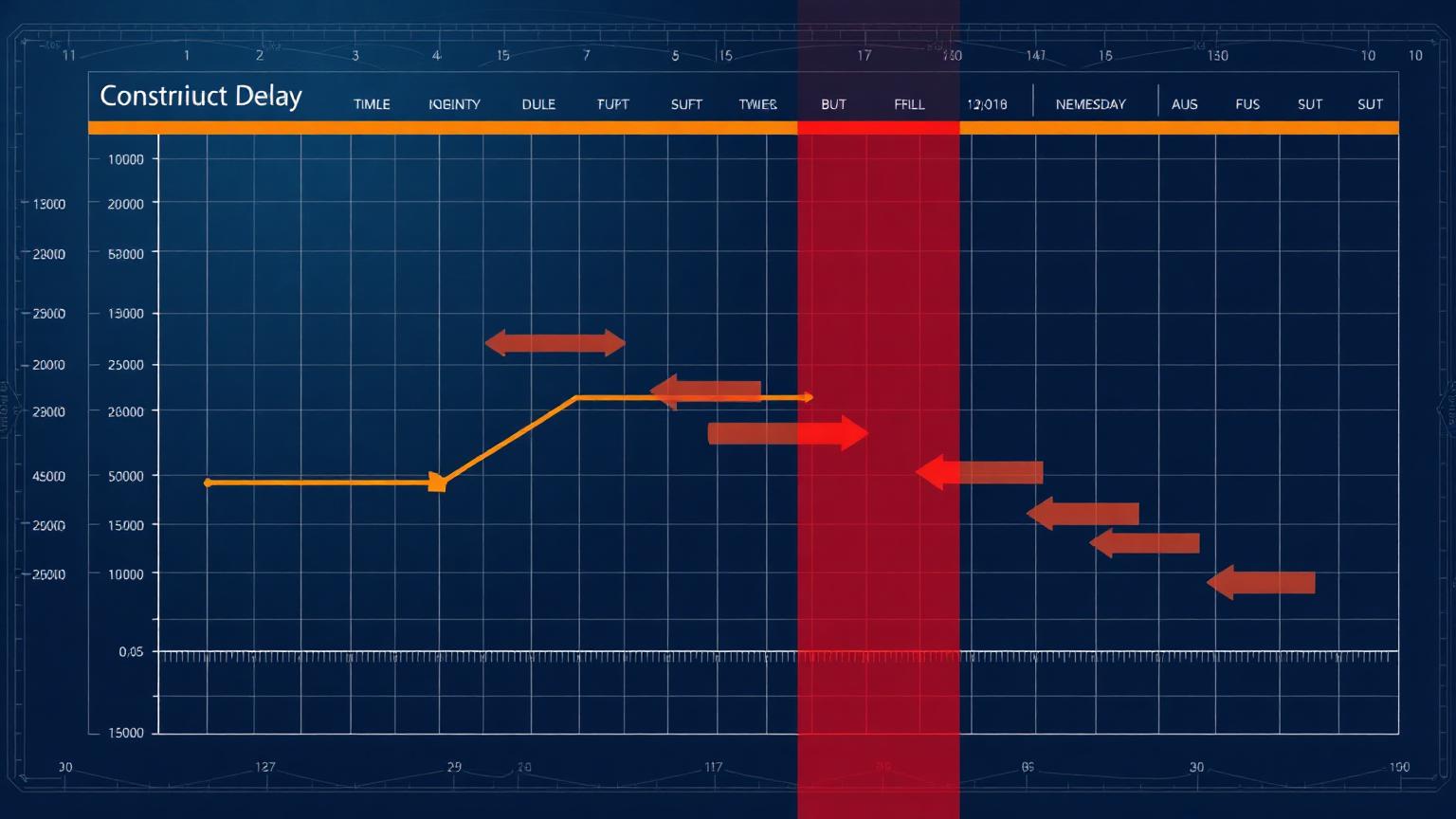
Total Float in P6 is calculated as Late Finish minus Early Finish (or Late Start minus Early Start). When the backward pass produces late dates that are earlier than the early dates coming out of the forward pass, the result is negative. In plain language: the date something must happen by is earlier than the date it can happen by. The schedule is telling you it cannot satisfy its own rules.
The critical point most people miss is that negative float is never a P6 bug. The software is doing exactly what it was asked to do. Something in the network — a constraint, a deadline, imposed dates, or logic — is compressing the backward pass. Your job is to find which one.
The six root causes (and how often each one shows up)
Across the schedule health checks I have run for clients over the past decade, the same six causes appear again and again. The proportions below are from my own audit log — your mileage will vary, but the ranking has been remarkably stable across sectors.
| # | Root cause | Typical symptom in P6 | The real fix |
|---|---|---|---|
| 1 | Hard constraints (Mandatory Finish, Must Finish By on activities) | One activity shows deep negative float; predecessors look fine until the constraint date | Remove the constraint or replace with Finish On or Before only where contractually justified; let logic drive dates |
| 2 | Unrealistic project Must Finish By date | Entire critical path shows the same negative value (e.g. every activity at −15 d) | Recover the programme through re-sequencing / crashing, or formally revise the completion date via change control |
| 3 | Out-of-sequence progress with Retained Logic | Negative float appears after an update on activities that were progressing fine | Correct the logic to reflect how work is actually being executed, then reschedule |
| 4 | Actual dates recorded beyond the data date | Float values look nonsensical; dates ahead of the data date carry an 'A' | Fix the actuals — no actual date may ever sit to the right of the data date |
| 5 | Calendar conflicts (activity vs. resource calendars) | Small, odd negative values (−1 d, −2 d) scattered across resource-loaded activities | Align calendars, or set the schedule option to use activity calendars for float calculation |
| 6 | Excessive lags on the critical path | Negative float traced back to a relationship, not an activity | Replace long lags with real activities (curing, approvals, procurement) that can be statused and owned |
Cause 1: Hard constraints — the serial offender
On a motorway interchange project I audited, the planner had placed a Mandatory Finish constraint on 'Bridge Deck Pour — Stage 2' because the client had once mentioned that date in a meeting. Mandatory constraints in P6 do not just influence the backward pass — they violate network logic outright. P6 pins the date and lets float calculations break around it. Two months of earthworks delay later, the schedule showed −23 days on a path that was actually recoverable, and nobody trusted the float column any more.
The distinction between constraint types matters enormously here, so let me put the ones that cause negative float side by side:
| Constraint type | Effect on backward pass | Can it create negative float? | When it's actually legitimate |
|---|---|---|---|
| Must Finish By (project level) | Sets the late finish of the whole network | Yes — the most common source | When the contract completion date is fixed and you want float measured against it |
| Finish On or Before | Caps the late finish of one activity | Yes | Contractual milestones, seasonal cut-offs (e.g. pour before winter shutdown) |
| Mandatory Finish / Mandatory Start | Overrides logic entirely; pins dates | Yes — and hides logic problems too | Almost never. Allow only for externally imposed events like a booked rail possession |
| Start On or After | Affects forward pass, not backward | Not directly, but mis-use distorts the path | Access dates, permit release dates |
| As Late As Possible | Consumes free float deliberately | No, but it removes your buffer visibility | Deliveries you genuinely want just-in-time |
Cause 2: The project Must Finish By date
This one is different from the others because sometimes it is not an error at all — it is the truth. If your project Must Finish By date reflects the contract completion date and your forecast has drifted past it, the negative float is a legitimate measure of how much recovery you need. On a wastewater treatment upgrade, we deliberately kept the −19 days visible in the working schedule for six weeks because it quantified the recovery target for the whole team. Hiding it would have been dishonest; managing it was the job.
The problem arises when the Must Finish By date is wrong — set to a stretch target rather than the contractual date, or never updated after an approved extension of time. Then every report shows phantom criticality, the site team stops believing the programme, and genuine slippage gets lost in the noise. Check one thing first, always: does the Must Finish By date in Project Details match the current contractual completion date, including all approved variations? You would be surprised how often it does not. For the forensic side of this problem, see construction delay analysis, claims and EOTs and the delay claims library.
Cause 3: Out-of-sequence progress meets Retained Logic
Site teams do not read your logic diagram. They work where access, materials, and crews allow. When an activity starts before its predecessor finishes, P6 flags out-of-sequence progress, and the scheduling option you have selected — Retained Logic or Progress Override — decides what happens to the remaining work. Retained Logic holds the remainder hostage until the predecessor completes, which can push forecasts out and drive float negative even though the site is genuinely ahead in places.
The lazy fix is switching to Progress Override, which throws the logic away and often produces a fantasy forecast. The correct fix is to open the Schedule Log, list every out-of-sequence activity, and repair the relationships to match reality — usually converting a Finish-to-Start into a Start-to-Start with a sensible lag, or splitting the successor. Yes, it takes an afternoon. It is an afternoon that buys back the credibility of your critical path.
Cause 4: Actuals beyond the data date
An actual date recorded after the data date is a contradiction — you are claiming to know history that has not happened yet. P6 tolerates it, but the float calculations around such activities become unreliable, and negative values appear that trace back to nothing sensible. This usually happens when someone statuses the schedule from a look-ahead ('the pour is definitely happening Thursday') instead of from records. The fix is discipline, not software: actual dates come from site diaries, delivery dockets, and inspection records — never from optimism.
Cause 5: Calendar conflicts
Scattered, shallow negative float (−1 d or −2 d on assorted activities) with no obvious driving path is the fingerprint of calendar trouble. A 5-day activity calendar meeting a 6-day resource calendar, or a duration typed in days while the calendar thinks in hours, will do it. Check the schedule option 'Calendar for scheduling Relationship Lag' and make sure activity and resource calendars agree on the critical chain. On one commercial build, harmonising three redundant calendars into one project calendar wiped out every one of the 41 small negative-float readings in a single reschedule.
Cause 6: Lags doing the work of activities
A 20-day lag on a Finish-to-Start relationship is invisible in the Gantt, cannot be statused, has no owner, and silently shifts the backward pass. When negative float traces back to a relationship instead of an activity, the almost-universal answer is to convert the lag into a real task — 'Concrete Curing – 20d', 'Consent Approval – 15d' — that the team can see, own, and update.
The repair workflow I use on every audit
- Snapshot first. Copy the project or save a baseline before touching anything. You need the before/after evidence.
- Filter Total Float < 0 and group by float value. Identify the deepest negative path.
- Trace the driving path using Trace Logic or the Longest Path view until you hit the constraint, lag, or actual date responsible.
- Fix the root cause using the table above — remove the constraint, repair the logic, correct the actuals, align the calendars.
- Reschedule (F9) and repeat until the remaining negative float is only the honest kind: a genuine forecast overrun against a genuine contractual date.
- If honest negative float remains, build recovery scenarios — re-sequencing, crashing, calendar changes — in a copy of the schedule, and take the costed options to the project manager. Quantify impact with the SPI, CPI and EAC calculators before you walk into the meeting.
Common mistakes that make things worse
- ❌ Switching to Progress Override just to make the negative float vanish. You have not fixed anything; you have blindfolded the forecast.
- ❌ Adding a 'Start On or After' constraint to push an activity back into positive float. That is treating the thermometer, not the fever.
- ❌ Shortening remaining durations without site agreement. The float turns green, the project still finishes late, and the schedule takes the blame.
- ❌ Deleting the project Must Finish By date entirely. Congratulations — nothing is critical any more, and float is meaningless.
- ❌ Reporting negative float without a recovery narrative. A number without a plan invites panic or, worse, indifference.
Frequently asked questions
Is negative float always a problem?
No. If the schedule's logic, actuals, and calendars are clean, negative float is an accurate forecast that the project will miss a constrained date. That is bad news, but it is good information. The problem cases are the artificial ones — float driven negative by decorative constraints or broken data.
Can I just remove the Must Finish By date to clear the negative float?
You can, and your float will turn positive instantly — measured against nothing. If the date is contractual, removing it hides your delay from every report. Keep it, and manage the recovery instead.
Which scheduling option should I use: Retained Logic or Progress Override?
Retained Logic as the default, because it respects your network. But treat every out-of-sequence flag in the Schedule Log as a prompt to correct the logic. Progress Override is acceptable only as a short-lived diagnostic, never as a way of life.
Why do I see negative float on non-critical activities?
Usually an activity-level constraint (Finish On or Before) or a calendar mismatch local to that path. Filter for constraints first; if none exist, compare the activity calendar against its resource calendars.
How much negative float is acceptable before escalating?
Any negative float on the contractual completion path should be reported at the next update, full stop. Internally, I flag anything beyond −5 working days for a formal recovery workshop, because beyond that point casual re-sequencing rarely closes the gap.
Does negative float affect delay claims?
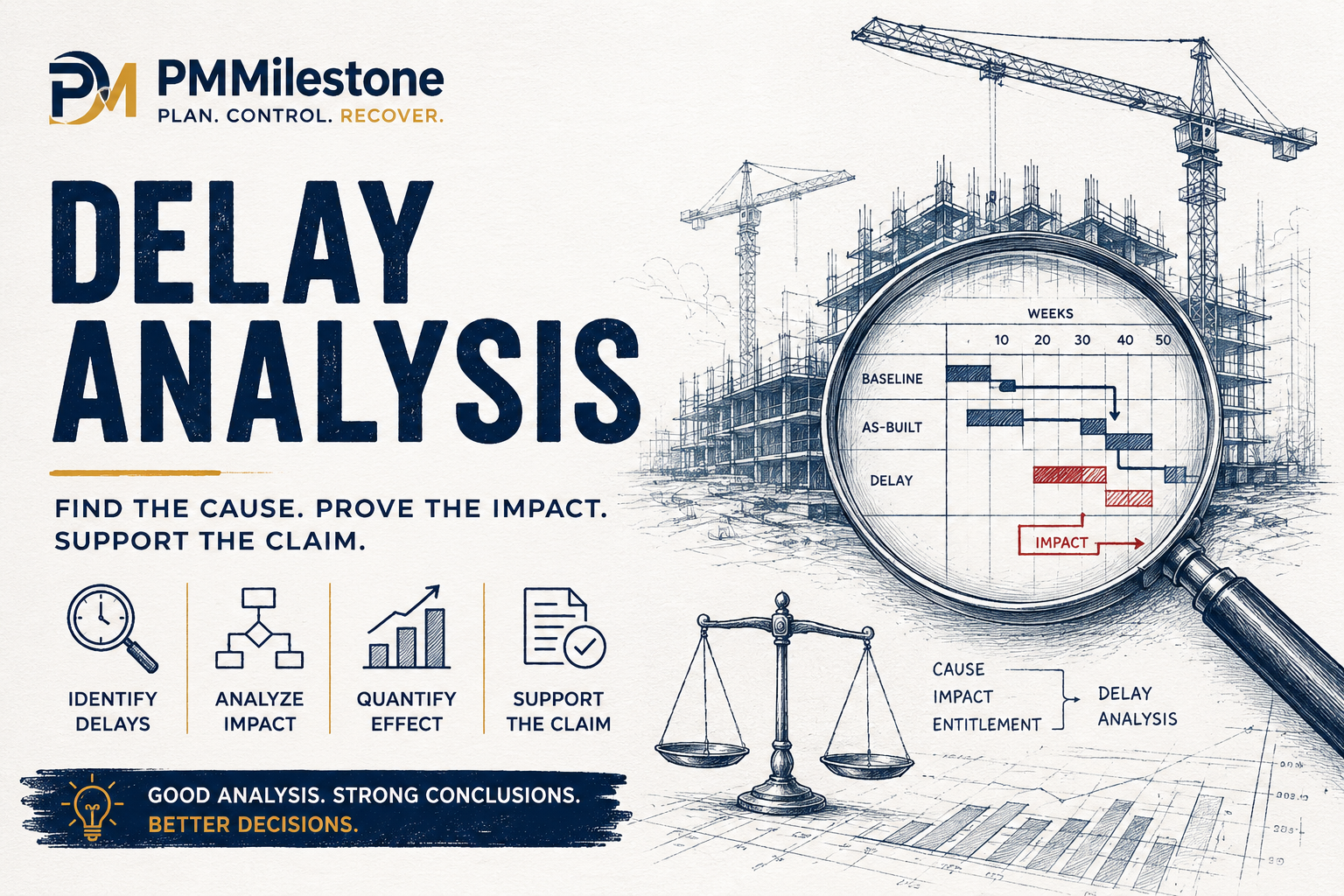
Very much so. In a forensic context, float that was driven negative by constraints the contractor added voluntarily weakens the analysis and invites challenge. Clean, logic-driven schedules with defensible constraints are what stand up when the lawyers arrive — see the mega project case studies and the Project Failure Database for real-world precedent, and the wider Project Controls Glossary for supporting definitions.
Keep exploring: the Academy home, learning tracks, knowledge pillars, publications, the founder page, and the about page.
Related guides on PMMilestone
Continue your reading with closely related Academy guides and references.
- Learning trackComplete Project Controls Certification Guide (2026)PMP, PMI-SP, PMI-RMP, CCP, PSP and EVP compared side by side for planning and cost professionals.Open
- Learning trackFrom Planning Engineer to Project Controls DirectorCareer roadmap with skills, certifications and salary at every stage from junior planner to director.Open
- Knowledge pillarEarned Value Management — Ultimate GuidePV, EV, AC, CPI, SPI, EAC, TCPI, S-curves and a worked construction example.Open
- Knowledge pillarConstruction Delay Analysis, EOTs & RecoveryFive forensic methods, concurrency, prolongation cost and recovery playbook for construction disputes.Open
- HubAcademy — Learning tracks hubAll long-form Academy learning tracks organised by discipline.Open
Related resources
Hand-picked tools, glossary entries, case studies and Academy pages to deepen this topic — curated by Dr. Hassan Eliwa, PhD.
Relevant calculators
Learning tracks
Knowledge pillars
Reference & glossary
Case studies & failures
Author & authority
- Founder — Dr. Hassan Eliwa, PhD
- About PMMilestone.org
- Publications by Dr. Hassan Eliwa
- Reviewed & maintained by the PMMilestone editorial team
Books by the author
- Primavera P6 Step by Step — 2026 Edition— hands-on P6 tutorial with 60+ screenshots
- Build Your AI Project Manager with Claude— turn Claude into your PM co-pilot
- Construction Planning & Scheduling Handbook— WBS, CPM, EVM & delay analysis
- All books & publications →
Standards and further reading
The practice described on this page aligns with the approach set out in the following published standards. Consult the originals through their publishing bodies for authoritative detail.
- Recommended Practice 49R-06: Identifying the Critical Path — AACE International
- 14-Point Schedule Assessment — US Defense Contract Management Agency (DCMA)