Why Most People Never Really Learn Primavera P6 — and the Book That Finally Fixes It
A PMMilestone editorial review · Project Controls · Reading time: 9 minutes

There is a strange secret in the construction industry: thousands of professionals list Primavera P6 on their CV, yet only a fraction of them could sit down at a blank database and produce a schedule that would survive a client review. A new 2026 release sets out to close that gap in a way we have not seen a book attempt before.
Walk onto any major construction site and ask who "knows P6." Hands go up everywhere. Now ask a harder question: who here has personally set up a project calendar with shutdown dates, linked a network without dumping constraints on every second activity, set a proper baseline before the first progress claim, and run a monthly update with the data date moved correctly? The hands come down fast. That gap — between recognising the software and actually commanding it — is one of the most expensive skill shortages in project delivery, and it exists because of how the software is usually taught.
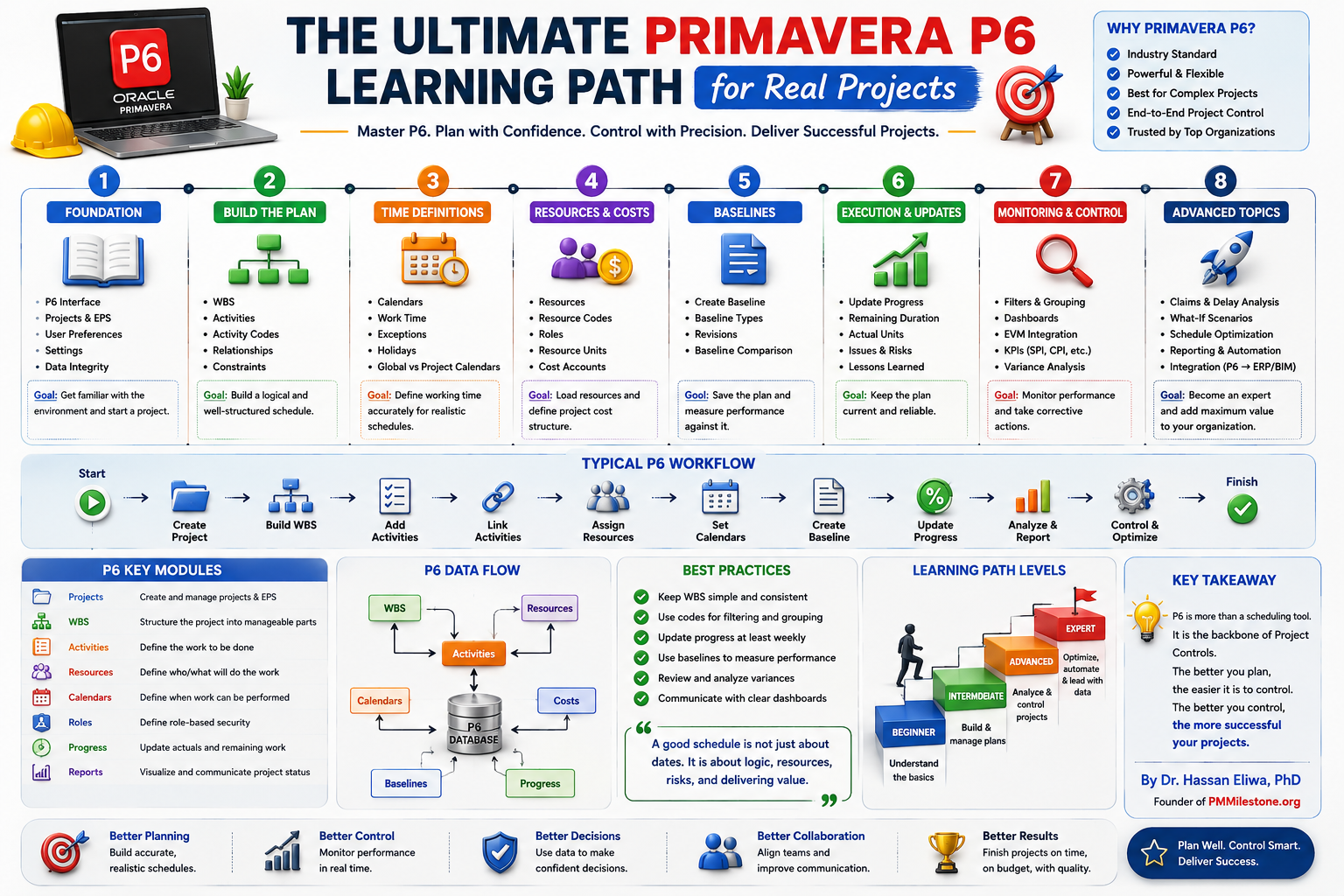
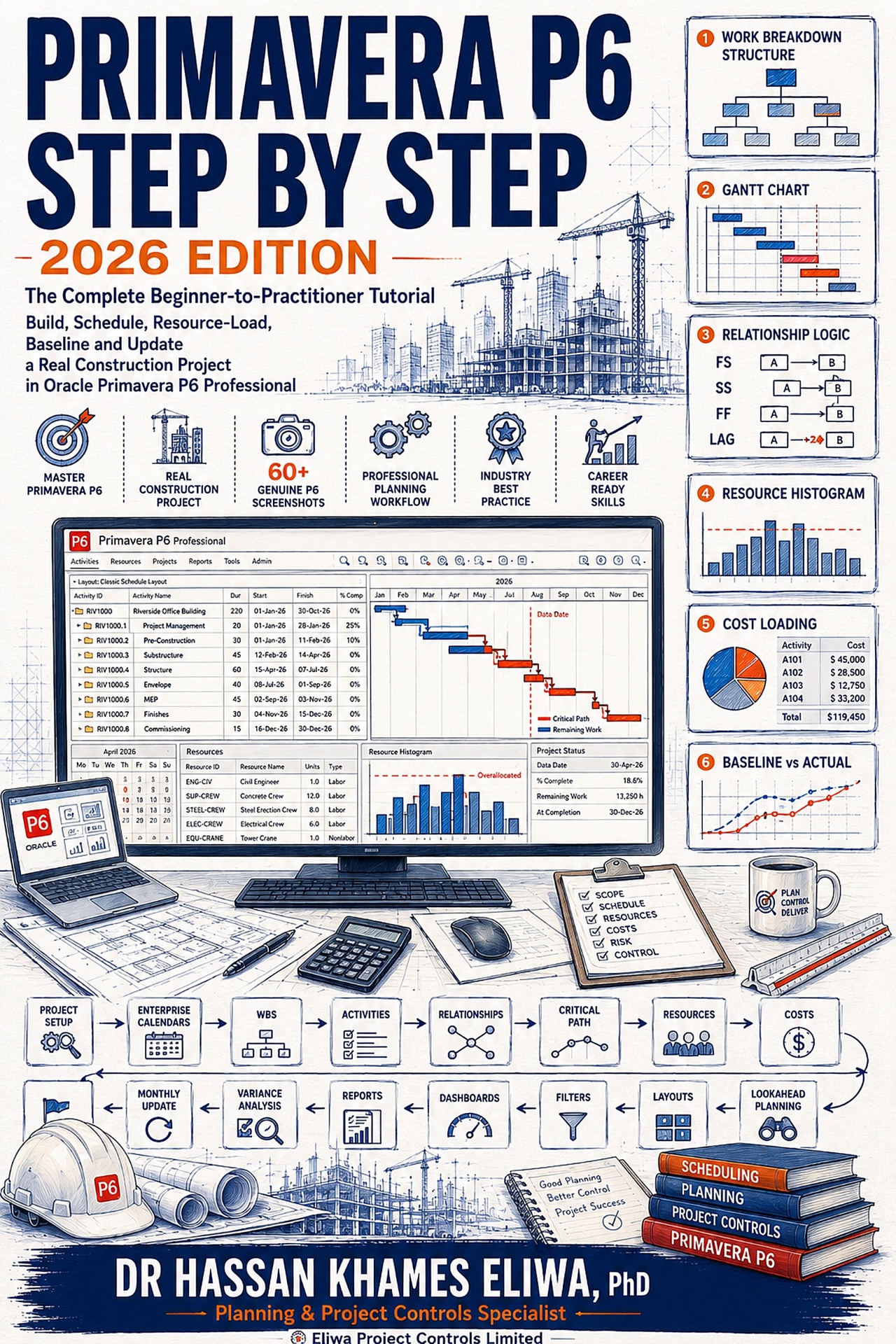
Most training follows one of two broken patterns. The first is the feature tour: a course or manual that marches through every menu in order, leaving you with a map of where things are but no idea what to do first on a real project. The second is the shallow quick-start: add an activity, drag a bar, print a chart — and then it abandons you precisely where professional scheduling begins, at logic, float, baselines, and updates. Primavera P6 Step by Step — 2026 Edition, the new tutorial by project controls specialist Dr. Hassan Khames Eliwa, was clearly written by someone who has watched both patterns fail on real projects for twenty years.
One project, built completely, exactly as professionals build them
The book's core decision is deceptively simple: instead of scattered examples, everything happens inside a single worked project — the Riverside Office Building, a two-storey commercial job with thirty-two activities, five crews, a procurement chain, and a five-and-a-half-month programme. You create its calendars, build its work breakdown structure, enter its activities, link its logic, schedule it, resource-load it, baseline it, and then run a full monthly progress update on it. Every one of the sixty-plus screenshots in the book comes from that same project, so at any moment you can compare your screen against the page and know instantly whether you are on track.
Why does that matter so much? Because Primavera P6 is not hard to click around in — it is hard to be correct in. The difference between a schedule that looks plausible and one that calculates properly lives in small, invisible settings: hours-per-day conversions, calendar exceptions, duration types, relationship logic, the data date. A book built from disconnected examples can never expose how those settings interact. A book built on one continuous project cannot avoid it, because the reader hits every interaction on the way to the finish line, in the same order a working planner does.
The teaching moments are engineered in — deliberately
What separates this tutorial from the usual fare is that its example project misbehaves on purpose, the way real projects do. Consider three examples that will be instantly familiar to anyone who has run project controls on a live job:
The steel supplier slips
The structural steel chain starts with ~18 days of float. In the update chapter the supplier falls behind — and the reader watches that float erode on their own screen, flow through erection logic, and arrive at the completion milestone as a measurable variance.
The site crew overloads
Roofing, cladding and window installation stack in the envelope phase and the resource histogram spikes to 300% against a two-crew limit — drawn in red. The book walks through re-sequence, re-resource, re-scope or level, and is honest about why beginners should not touch auto-leveling yet.
A crew jumps its logic
One activity is deliberately statused as starting a day before its predecessor logic permits — an everyday site reality — so the reader meets the out-of-sequence warning, learns what Retained Logic actually does, and practises adjudicating the disagreement between the network and the site.
These are not textbook contrivances. They are the exact situations that fill the first year of a planner's working life, delivered in a sandbox where mistakes cost nothing. There is even a Christmas shutdown built into the calendar, timed to interrupt the fit-out phase so the reader can watch activity bars stretch across the holidays and understand — viscerally — how calendars turn durations into dates.
Discipline over decoration
The book's voice is opinionated in the way only field experience produces. It tells you to leave Must Finish By empty when you create a project — then, later, has you deliberately set it, generate negative float, read what minus-ten days actually means, and remove it cleanly. It insists you read the schedule log after every F9 the way a pilot reads instruments. It counts your open ends (the correct number is two) and your constraints (the correct number is zero) before letting you move on. It teaches the baseline chapter around a single hard rule — never record progress until an approved baseline is attached — and explains the notorious <Current Project> trap that leaves schedules reporting a soothing, meaningless zero variance for months.
Later chapters extend into territory most beginner books never reach: DCMA-style schedule quality checks with actual thresholds, a monthly progress-narrative structure (position, cause, criticality, action), a working library of layouts for different audiences, and percent-complete types explained so you will never again sit silently in a meeting while two people quote different "progress" numbers for the same activity.
Who gets the most from it
| Reader | What they get |
|---|---|
| ✅ Project managers | Interrogate the P6 programmes their planners hand them, instead of nodding at them. |
| ✅ New planners & engineers | Move into project controls and be genuinely productive in days, not months. |
| ✅ Certification candidates | Maps cleanly onto PMP scheduling questions, PMI-SP and AACE PSP domains — see the certification guide. |
| ✅ Students & career-changers | Finish with a portfolio-ready project they built themselves plus a complete build sheet for practice rebuilds. |
No prior P6 experience is assumed. The concepts — critical path method, float, baselines, earned progress — are explained from first principles at the moment they are needed, never as front-loaded theory. Readers who then want to keep going will find deeper treatments in the Earned Value Management pillar and the construction delay analysis pillar.
The extras that make it a working reference
Beyond the fourteen tutorial parts, the 2026 Edition includes a fifty-term working glossary written in plain professional language, a complete appendix build sheet (every activity, relationship, resource, and progress entry in one place), a keyboard and menu quick reference covering essentially everything a planner touches in a normal week, ten graded practice exercises that rise from layout drills to auditing a stranger's schedule, and a thirty-day mastery plan for turning the book's competence into genuine fluency. The 7×10-inch format gives the screenshots room to be actually readable — a small thing that matters enormously in a software tutorial.
What it is like to actually use
Format matters more in software tutorials than publishers usually admit, and the production choices here are clearly a practitioner's. The 7×10-inch page gives every screenshot room to be read without squinting — activity tables legible, dialog labels sharp — and figures sit immediately beside the paragraphs that reference them rather than stranded pages away. Steps are numbered and imperative ("press F9", "set the lag to 3d"), never descriptive mush. Each part opens by stating what state your project should be in when you arrive and closes with a checkpoint listing exactly what must now be true — so if you put the book down for a week, you can verify your position in thirty seconds instead of re-reading a chapter. Warning callouts flag the traps (the no-undo database, the time-periods conversion, the baseline assignment) at the precise moment you could fall into them, and end-of-part "going deeper" sections add the professional context — calendar strategy, duration types, baseline governance on real contracts — without interrupting the build.
How it compares with the alternatives
Against the classic reference manuals, the difference is direction: references are organised by the software's menus, this book is organised by a project's life, which is the order a working planner actually needs things. Against video courses, it trades presenter charisma for precision — you work at your own typing speed against a frozen, checkable reference, and flipping between the update chapter and the appendix build sheet takes two seconds instead of scrubbing a timeline. Against free fragments online, the difference is consequence: isolated clips teach clicks, while a continuous project teaches how the calendar you set in one chapter bends the dates you calculate three chapters later. None of those alternatives is worthless — but none of them leaves you holding a complete, baselined, statused project you built yourself, which is the one artefact that converts "familiar with P6" on a CV into something you can demonstrate.
🛒 Where to buy
Frequently asked questions
Do I need my own copy of Primavera P6 to use the book?
You need access to P6 Professional to follow along — that is the entire point of a hands-on tutorial. A company installation, a training environment, or a standalone setup all work identically for the exercises. The book works in either an enterprise or standalone database and shows you how to quarantine your practice project safely on shared systems.
Which version of P6 does it cover?
The workflows shown have been stable across P6 releases for over a decade — the application changes remarkably little between versions, which is part of why it remains the industry standard. Where a setting genuinely differs between common versions, the text says so explicitly.
Is this useful if I already use Microsoft Project?
Very. The scheduling concepts transfer directly, but the book is candid about the traps in translation — particularly that MS Project lacks P6's enforced data-date discipline, which is exactly the habit the update chapter drills hardest.
How long does it take to work through?
The Riverside project can be built in a focused weekend; most readers spread the fourteen parts over one to two weeks alongside work. The included thirty-day plan then converts that first pass into durable skill through rebuilding, deliberate breakage, and auditing exercises.
Print or Kindle?
Both are available, along with a hardcover. For a screenshot-driven tutorial, many readers prefer the large-format print edition open beside their keyboard; the Kindle edition suits readers who work across multiple locations.
Does the book cover costs and budgets, or only time?
Both. The resource chapters price five crews with realistic hourly rates, load every working activity, and show costs rolling up through the work breakdown structure to a project total — the doorway, as the book puts it, to earned value and cash-flow forecasting. A dedicated section also explains nonlabour and material resources and the per-activity expenses tab, so one-off costs like permits and mobilisation fees are covered too. See the project controls calculators for CPI, SPI and EAC drills.
What if my dates come out slightly different from the book's figures?
The author anticipates exactly this: minor date differences almost always trace to calendar exceptions entered slightly differently, and the book tells you which checks to run. What must match — and what the checkpoints verify — is the shape: the critical path, the float pattern, and the variance story.
Is there support material beyond the book itself?
Yes. The author runs PMMilestone.org, a growing encyclopedia of project management and controls content, where companion articles, calculators, case studies, the Project Failure Database and further Primavera P6 tutorials continue past the book's final page — a useful next stop once the thirty-day plan is done and you are hungry for the deeper topics it points toward, like earned value and activity codes. Explore all publications by the author.
Related guides on PMMilestone
Continue your reading with closely related Academy guides and references.
- Learning trackComplete Project Controls Certification Guide (2026)PMP, PMI-SP, PMI-RMP, CCP, PSP and EVP compared side by side for planning and cost professionals.Open
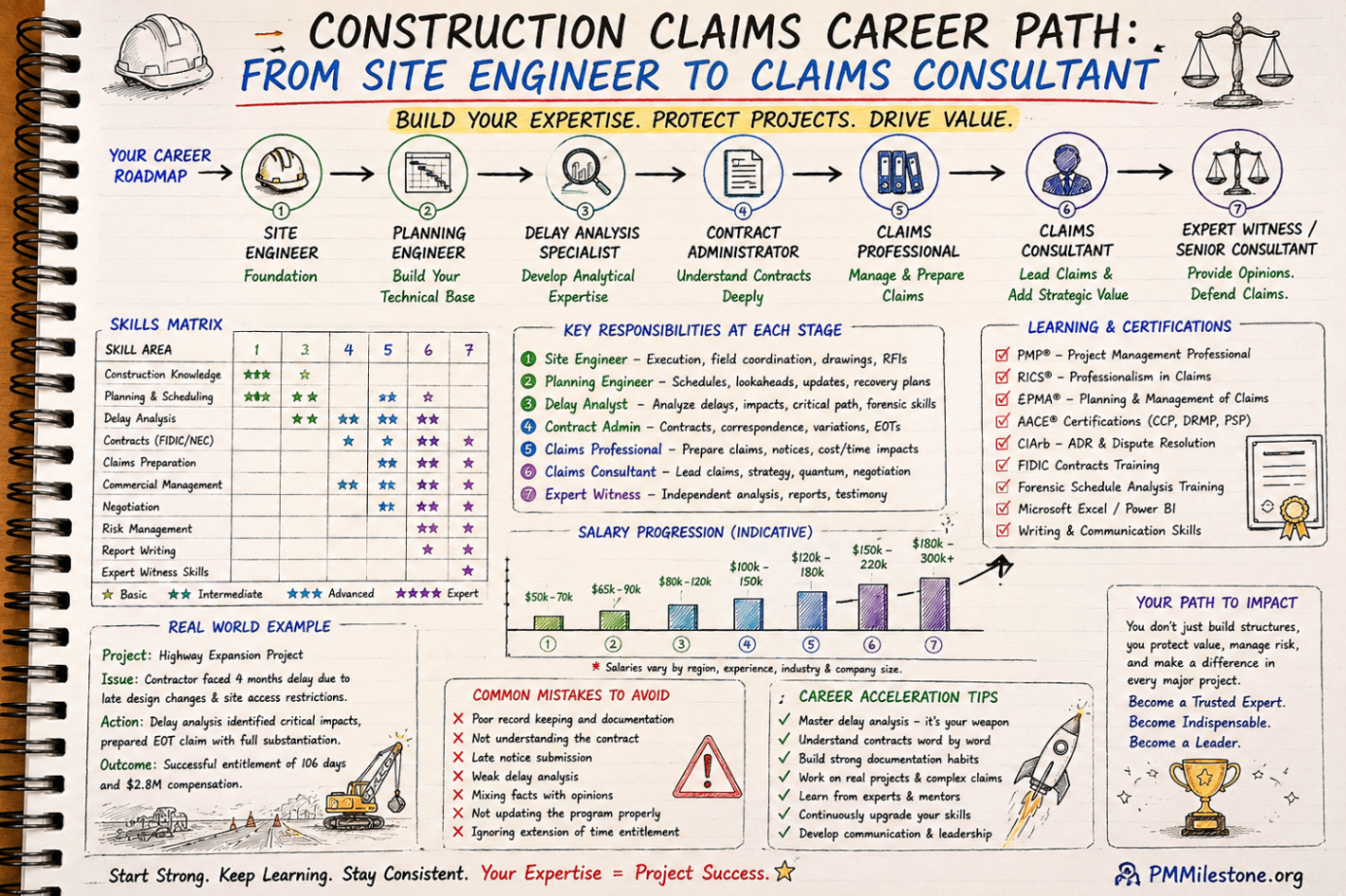
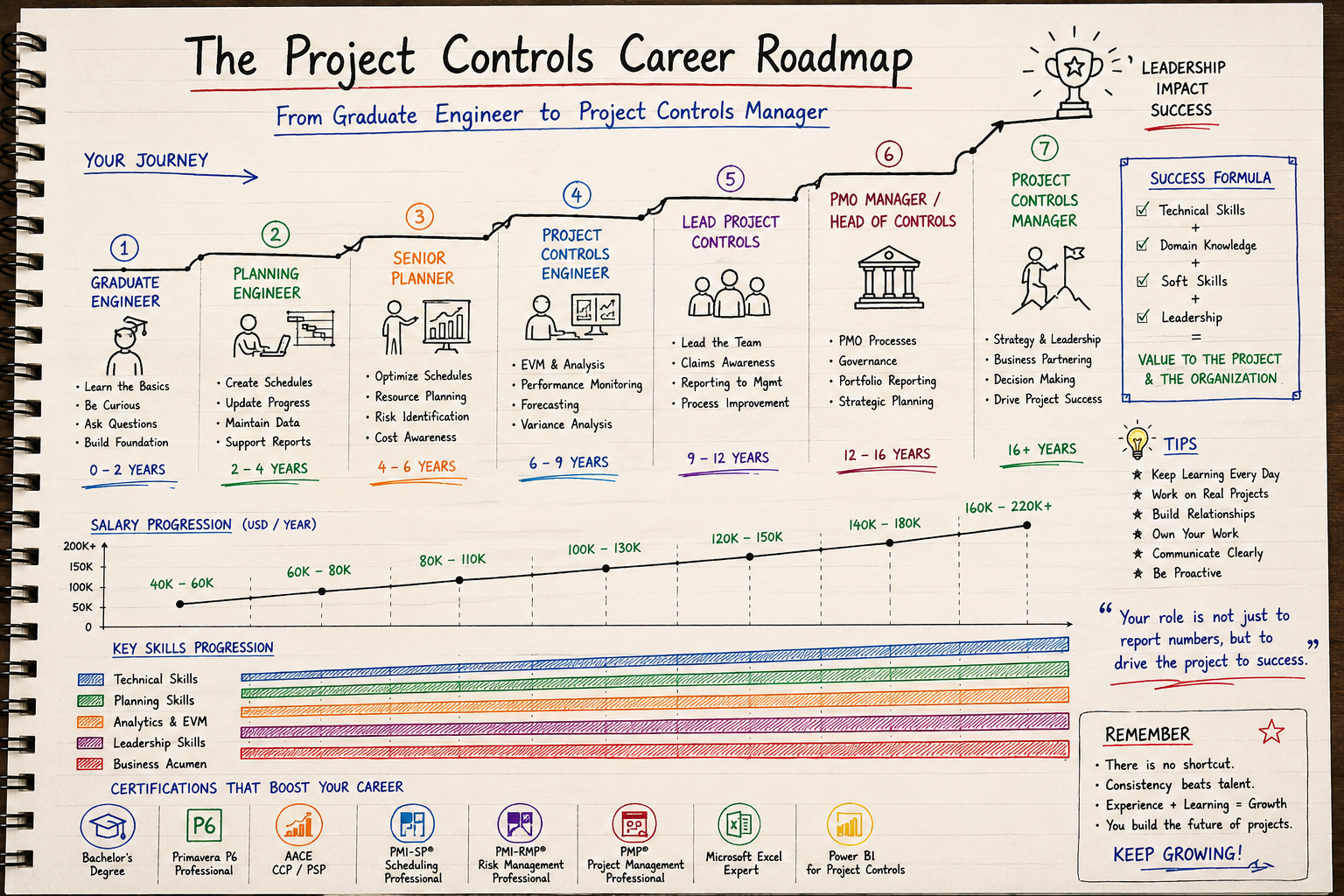
- Learning trackFrom Planning Engineer to Project Controls DirectorCareer roadmap with skills, certifications and salary at every stage from junior planner to director.Open
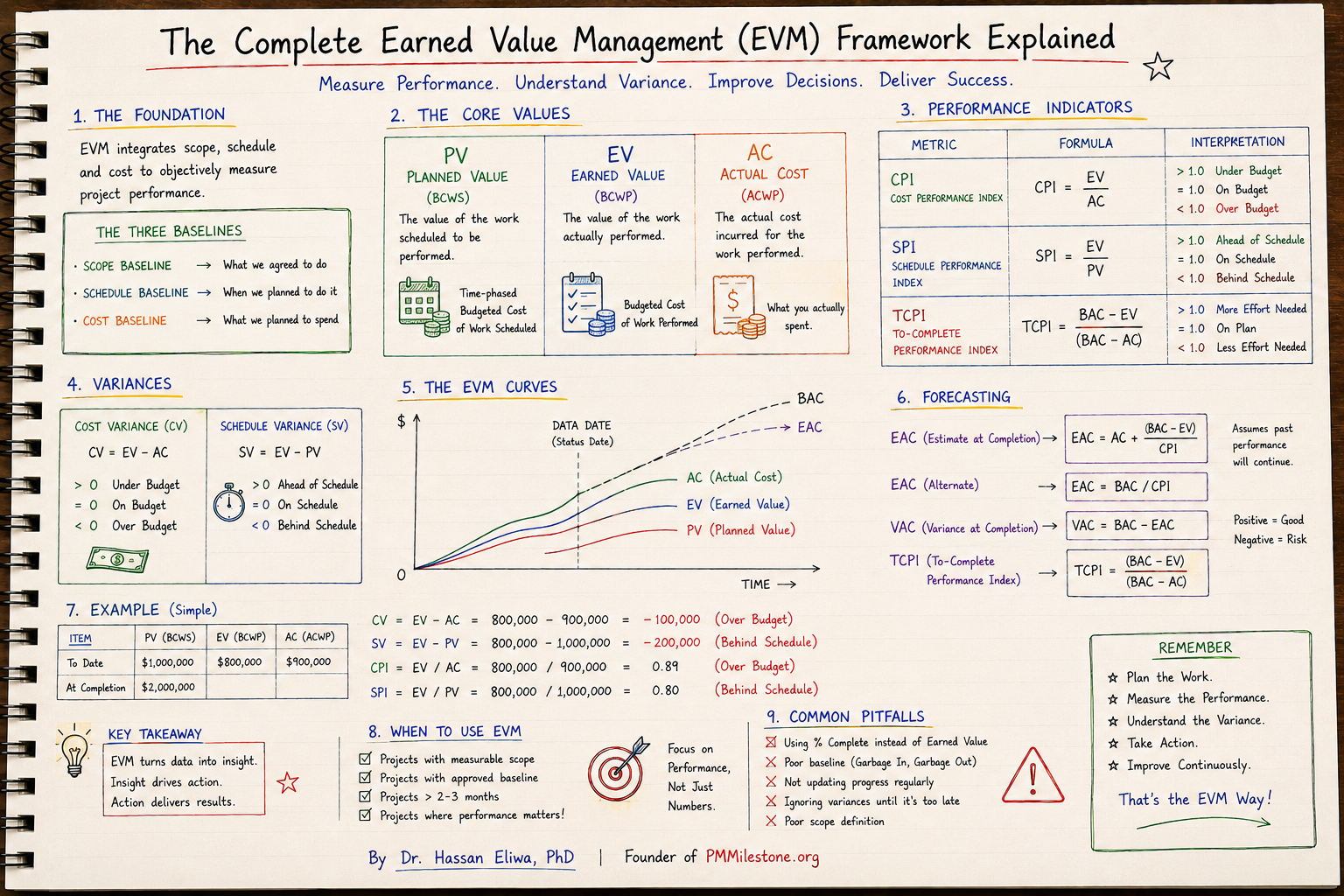
- Knowledge pillarEarned Value Management — Ultimate GuidePV, EV, AC, CPI, SPI, EAC, TCPI, S-curves and a worked construction example.Open
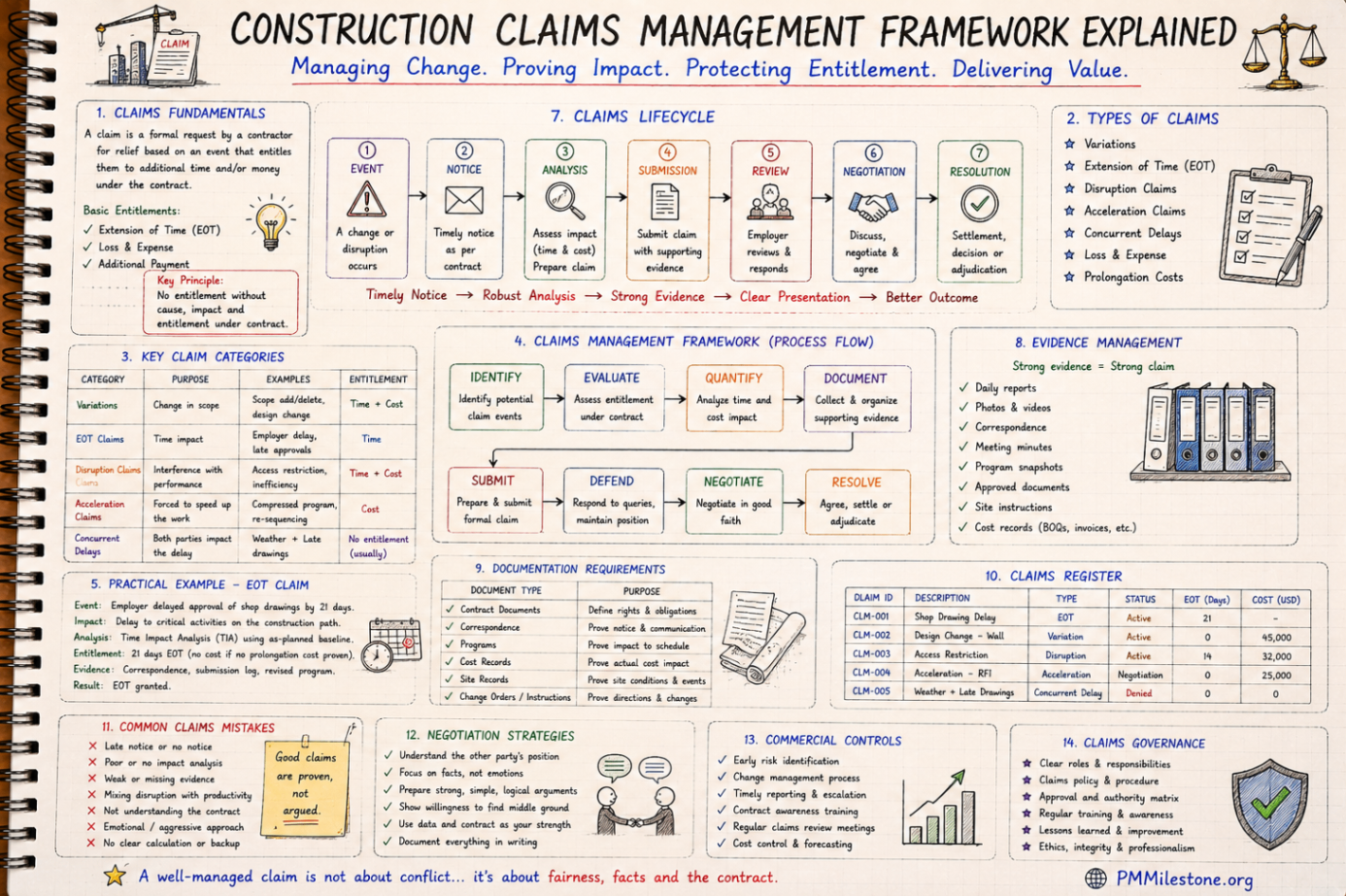
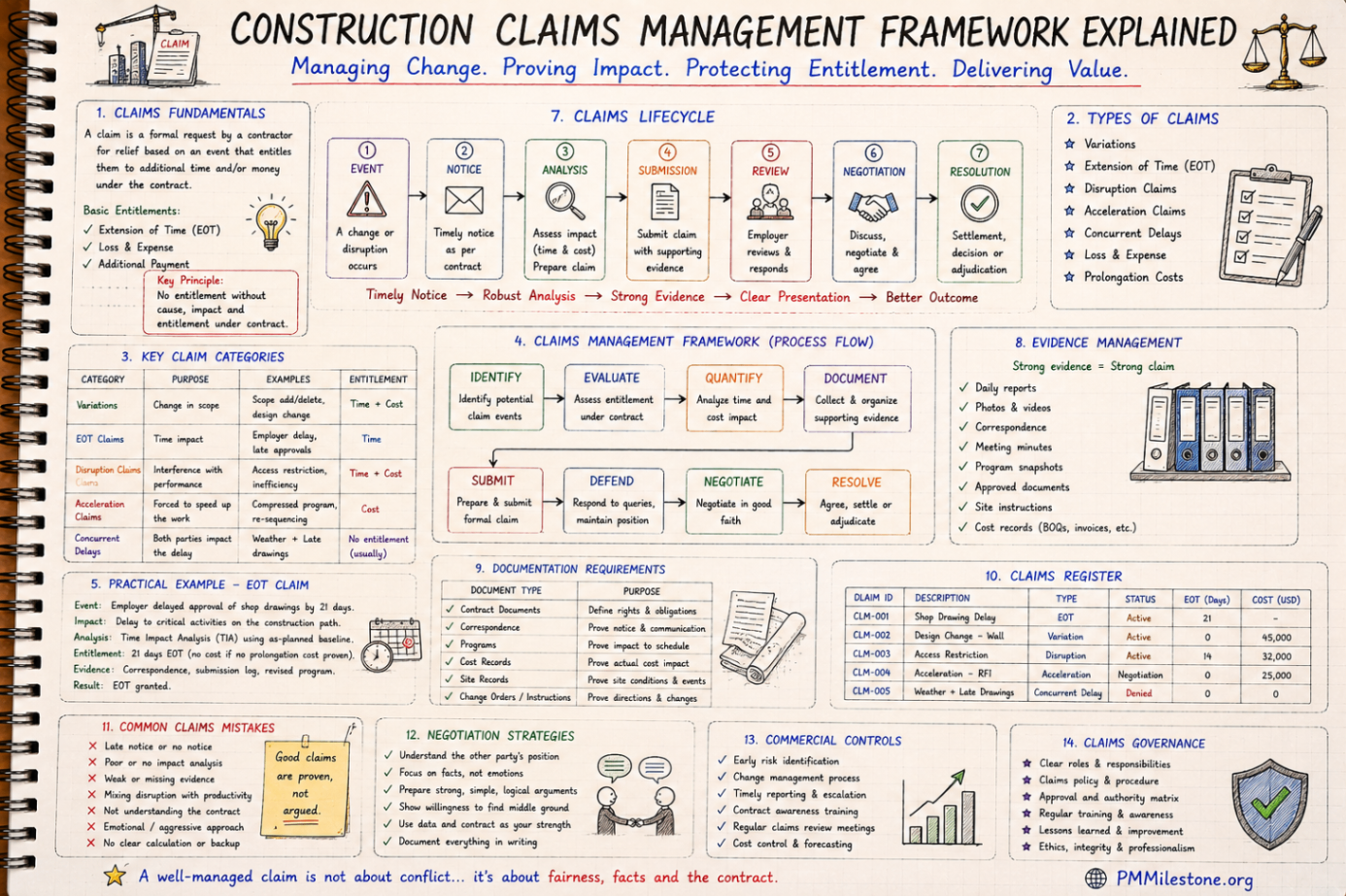
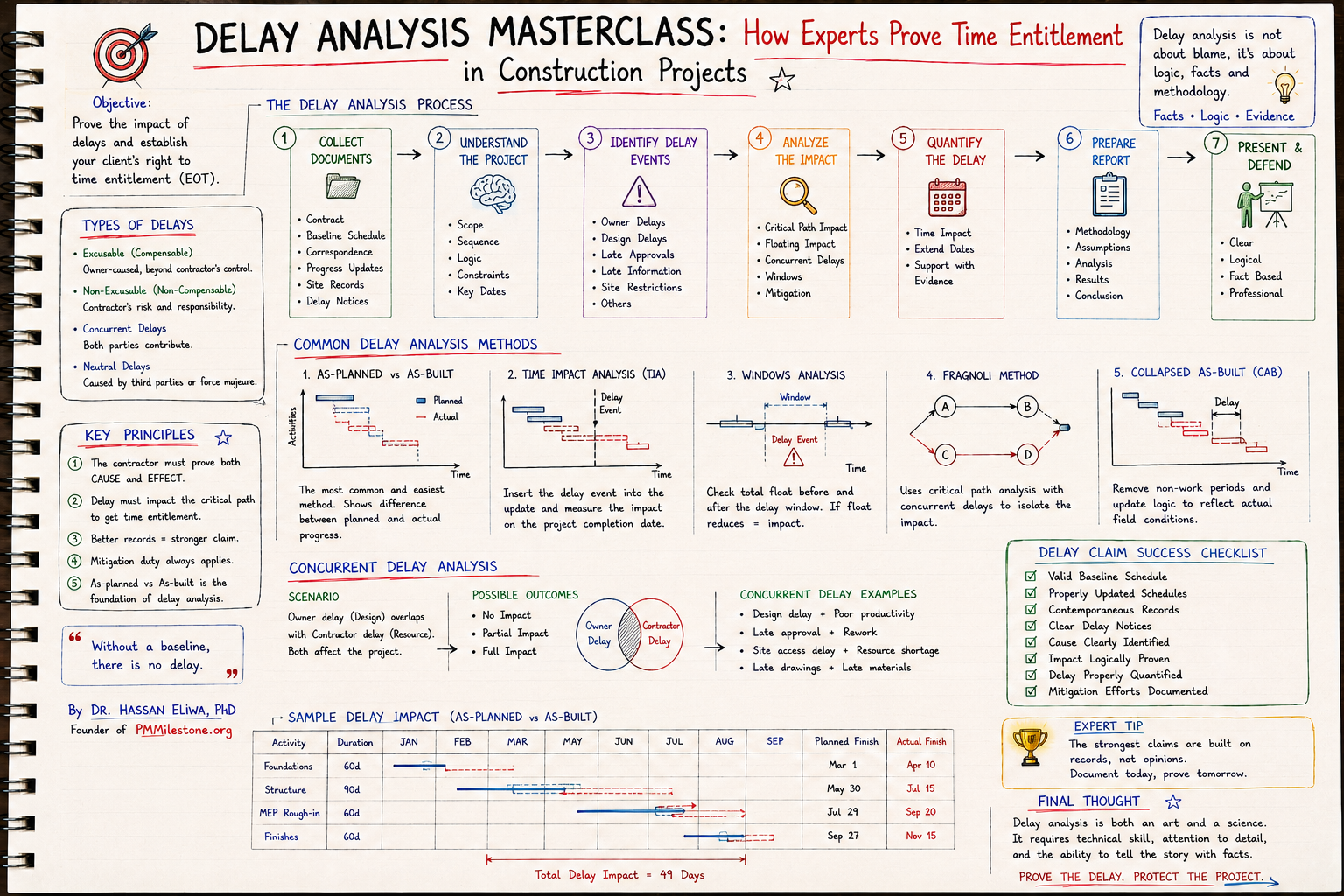
- Knowledge pillarConstruction Delay Analysis, EOTs & RecoveryFive forensic methods, concurrency, prolongation cost and recovery playbook for construction disputes.Open
- HubAcademy — Learning tracks hubAll long-form Academy learning tracks organised by discipline.Open
Related resources
Hand-picked tools, glossary entries, case studies and Academy pages to deepen this topic — curated by Dr. Hassan Eliwa, PhD.
Relevant calculators
Learning tracks
Knowledge pillars
Reference & glossary
Case studies & failures
Author & authority
- Founder — Dr. Hassan Eliwa, PhD
- About PMMilestone.org
- Publications by Dr. Hassan Eliwa
- Reviewed & maintained by the PMMilestone editorial team
Books by the author
- Primavera P6 Step by Step — 2026 Edition— hands-on P6 tutorial with 60+ screenshots
- Build Your AI Project Manager with Claude— turn Claude into your PM co-pilot
- Construction Planning & Scheduling Handbook— WBS, CPM, EVM & delay analysis
- All books & publications →